Dalla homepage, è possibile ricercare le informazioni di interesse selezionando uno o più tasti delle modalità di trasporto (Bus, Treno, Bici e Auto) posizionati in alto oppure tramite la barra di ricerca. E’ anche possibile ricercare facilmente le informazioni sulla homepage e sulle diverse pagine del portale utilizzando il campo “cerca”.
Il portale Muoversi a Torino mette a disposizione un servizio di calcolo percorsi della Città di Torino per una mobilità più facile e accessibile.
Grazie al servizio, puoi pianificare i tuoi spostamenti scegliendo tra diverse modalità di trasporto, sulla base di informazioni in tempo reale sui servizi di trasporto pubblico e di bike sharing.
Il calcolo percorso è un servizio “location-based”, ovvero localizza la posizione dell’utente sulla mappa della città per offrire informazioni in tempo reale sui servizi di trasporto più vicini. Per maggiori informazioni sulla condivisione della posizione, clicca qui.
Alcune delle funzionalità che potrebbero interessarti sono:
- calcolo del percorso multimodale, con possibilità di utilizzare i treni ed il bike sharing;
- previsione degli arrivi in fermata, con informazioni aggiornate in tempo reale per le linee urbane GTT;
- informazioni sull’accessibilità delle linee urbane per persone con difficoltà motorie;
- possibilità di controllare la posizione dei mezzi urbani in arrivo per una determinata linea;
- possibilità di salvare luoghi e linee di trasporto pubblico preferiti, in modo da velocizzare il suo calcolo.
Per un accesso rapido e facile al servizio, ricordati di aggiungere il link sulla home del tuo smartphone o tablet. Guarda il video.
Per calcolare un percorso è necessario inserire le località di partenza e di arrivo. Nel caso in cui si utilizzi uno smartphone è possibile scegliere la propria posizione come punto di partenza.
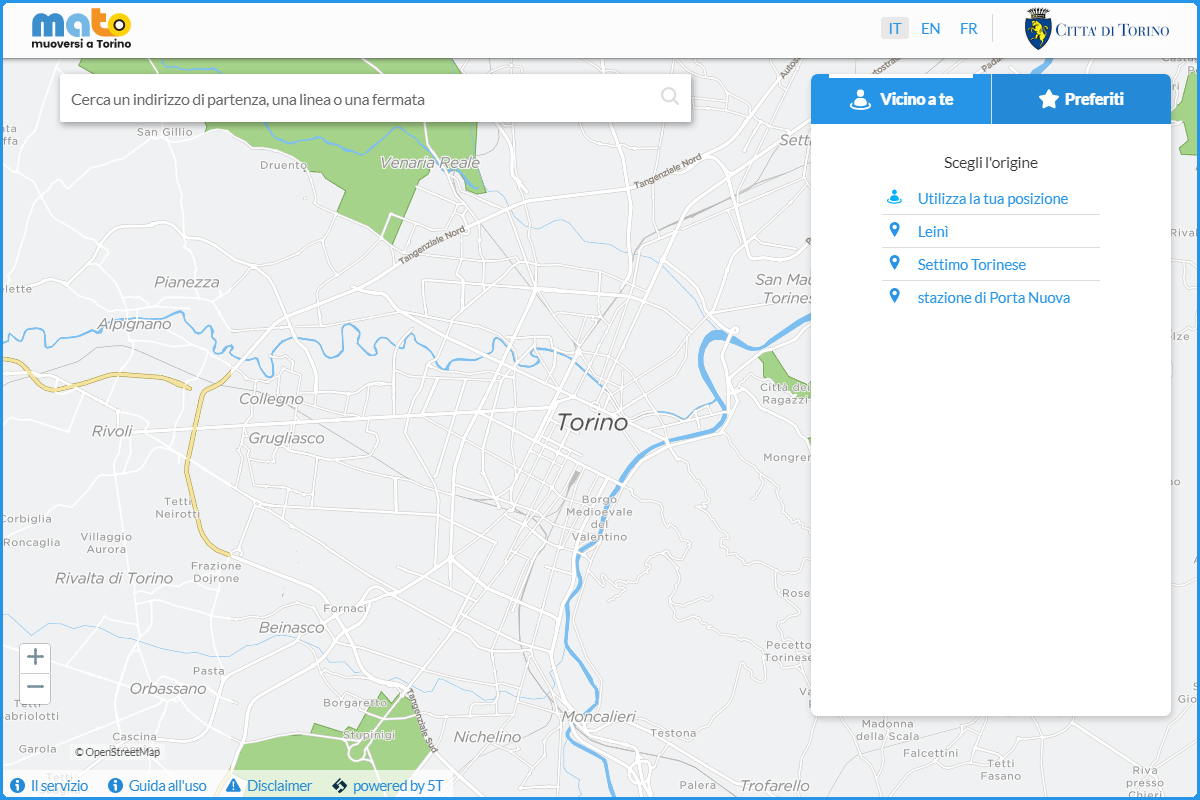
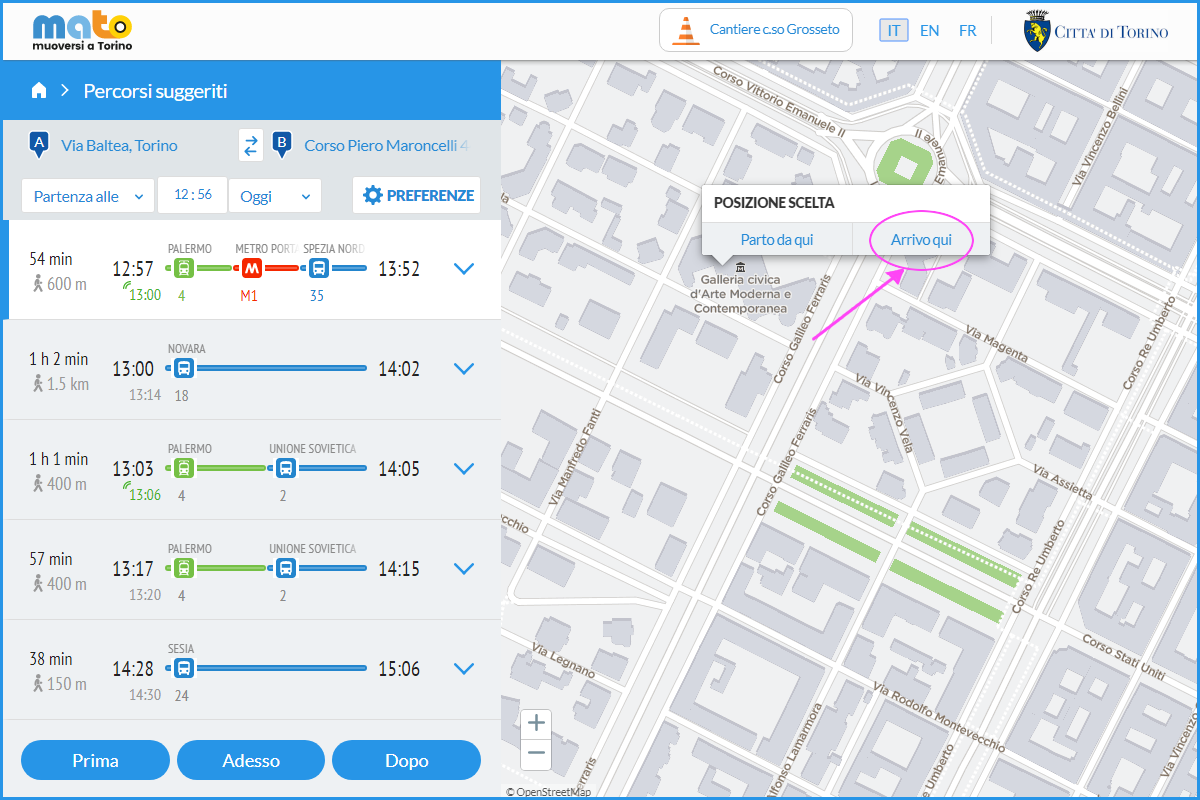
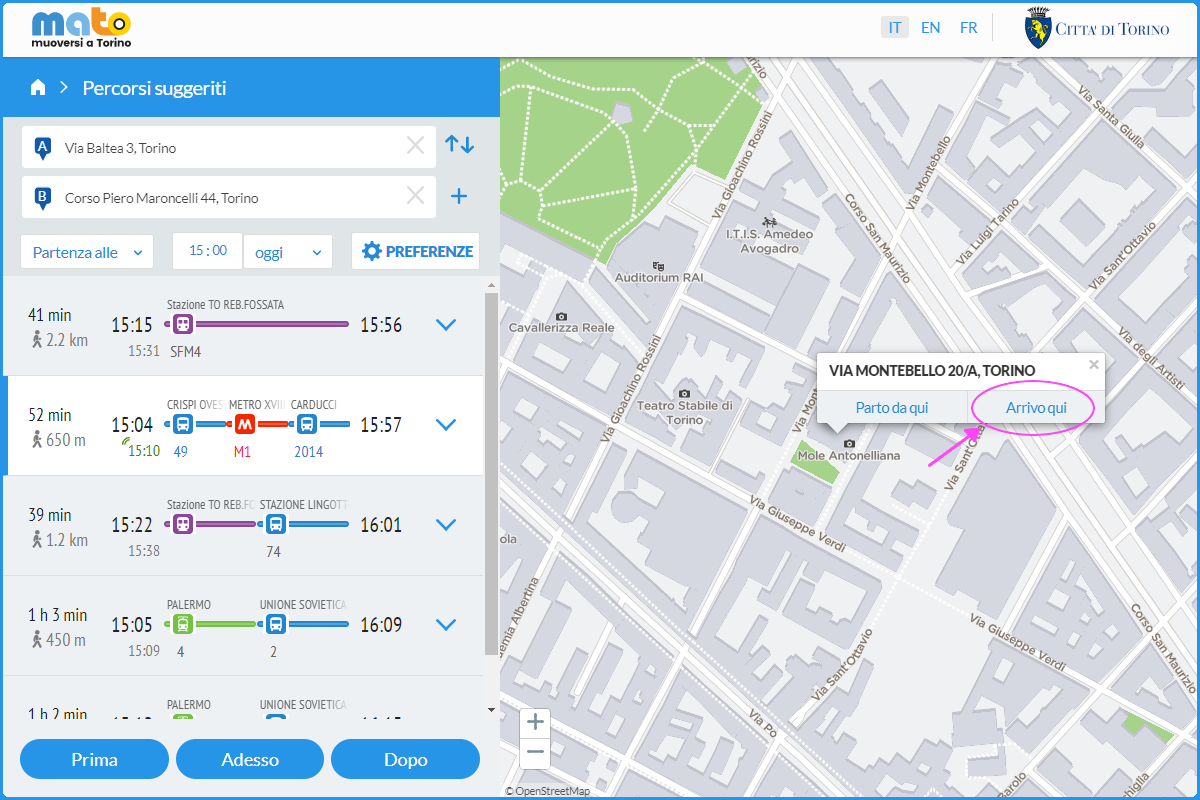
È, inoltre, possibile scegliere direttamente sulla mappa il punto di partenza o arrivo cliccando con il tasto destro del mouse il punto desiderato e selezionando “Parto da qui” o “Arrivo qui”:
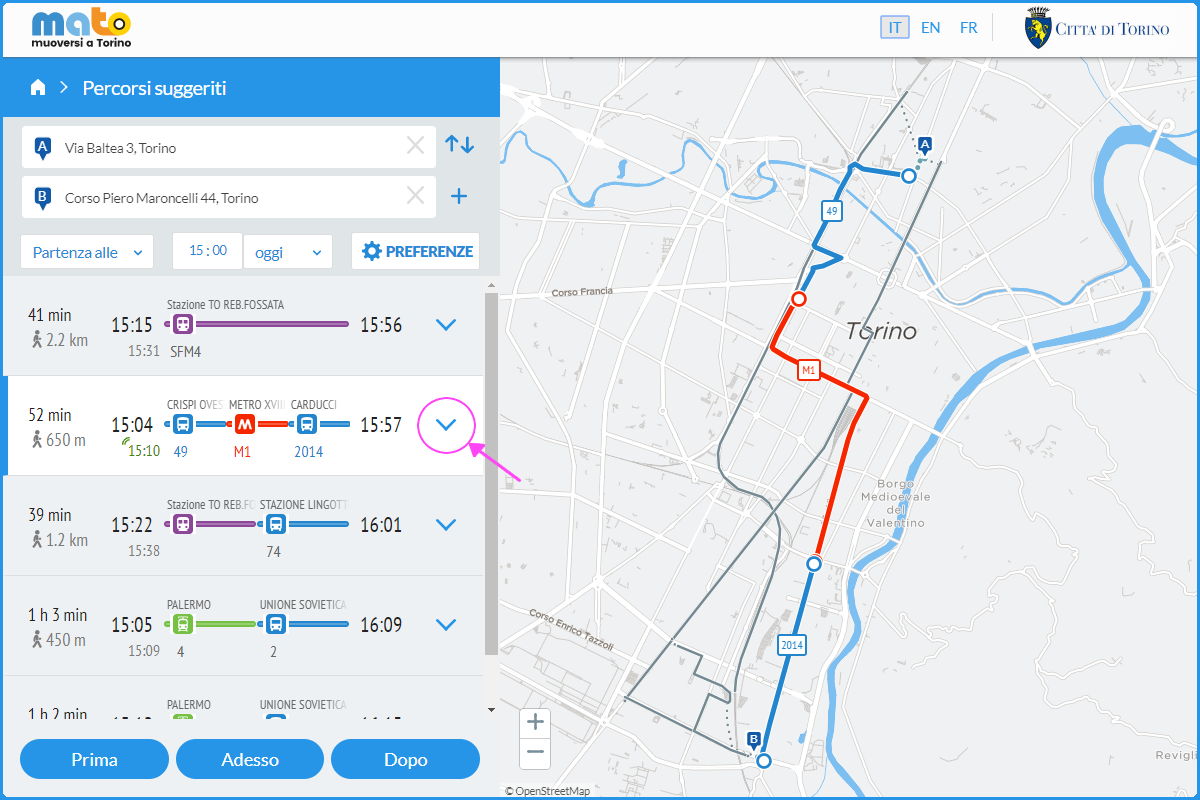
Dai dettagli del percorso, si possono visualizzare gli orari e i passaggi alle fermate della linea di trasporto pubblico:
Nel caso in cui non sia possibile trovare l’indirizzo inserito tramite la barra di ricerca testuale, è possibile scegliere direttamente sulla mappa il punto di partenza o arrivo cliccando con il tasto destro del mouse il punto desiderato e selezionando “Parto da qui” o “Arrivo qui”:
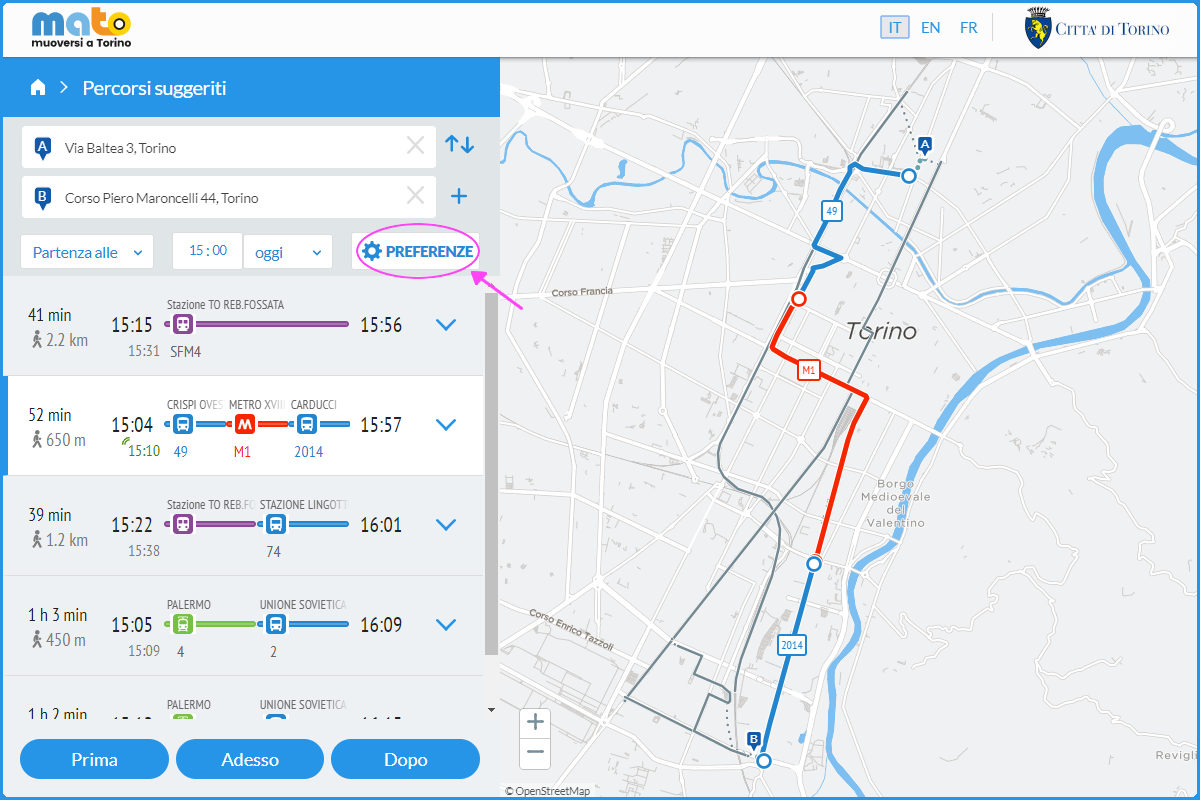
È possibile personalizzare il calcolo percorsi selezionando l’opzione “Preferenze” che compare sulla destra del box con l’elenco dei percorsi proposti fra i punti di partenza e arrivo definiti:
Sono presenti diversi campi che possono essere modificati a seconda delle proprie preferenze:
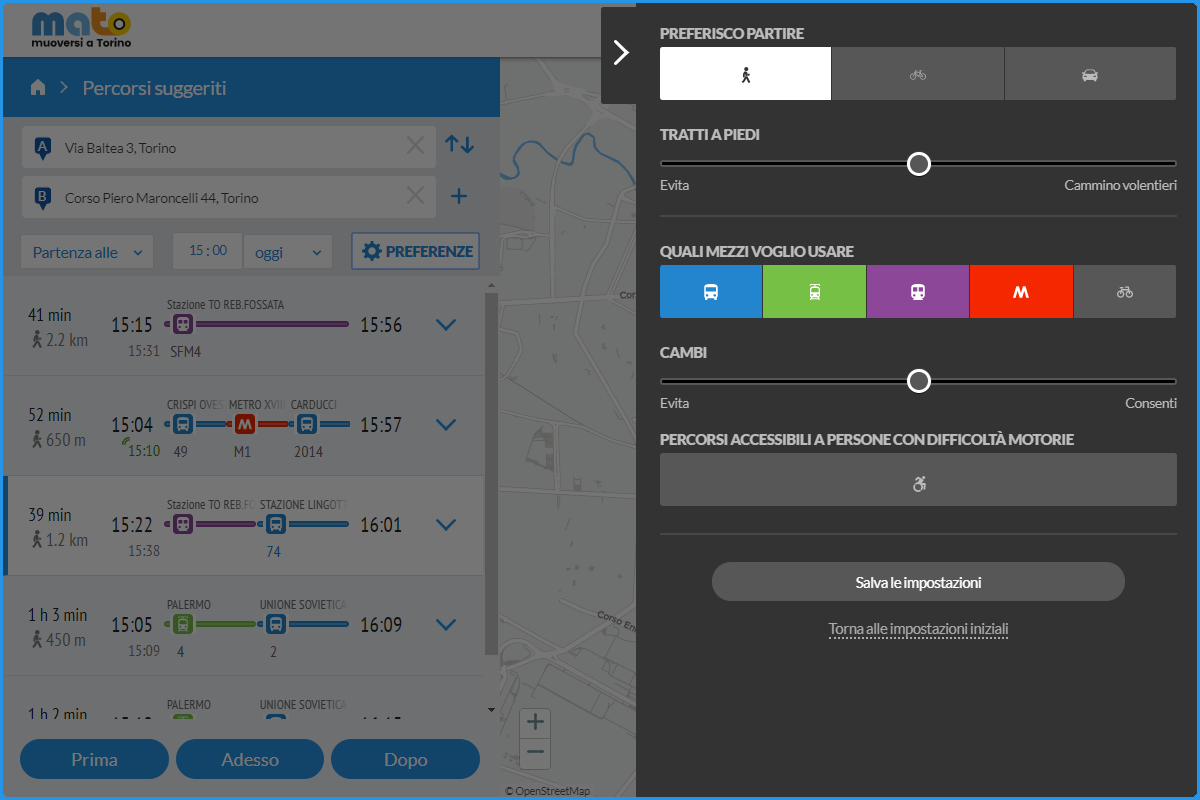
Preferisco partire:
puoi scegliere se muoverti a piedi, in bicicletta o in automobile.
Tratti a piedi:
Spostando il cursore puoi decidere quanto vuoi camminare.
Quali mezzi voglio usare:
Puoi scegliere quali servizi di trasporto vuoi utilizzare (bus, tram, metro o bike sharing). Puoi deselezionare i tipi di mezzo che non desideri utilizzare, agendo sui tasti colorati contenenti l’icona del mezzo di trasporto.
Cambi:
Puoi decidere se vuoi combinare altre linee di trasporto.
Accessibilità:
Tale modalità ti permette di visualizzare quali mezzi e fermate sono accessibili alle persone con difficoltà motorie (persone con disabilità motoria, anziani e genitori col passeggino).
Destinazione intermedia:
Puoi inserire le destinazioni intermedie durante il tuo spostamento.
Utilizzando la propria posizione come punto di partenza, è possibile visualizzare le linee che transitano nelle vicinanze, con informazioni sugli orari di passaggio:
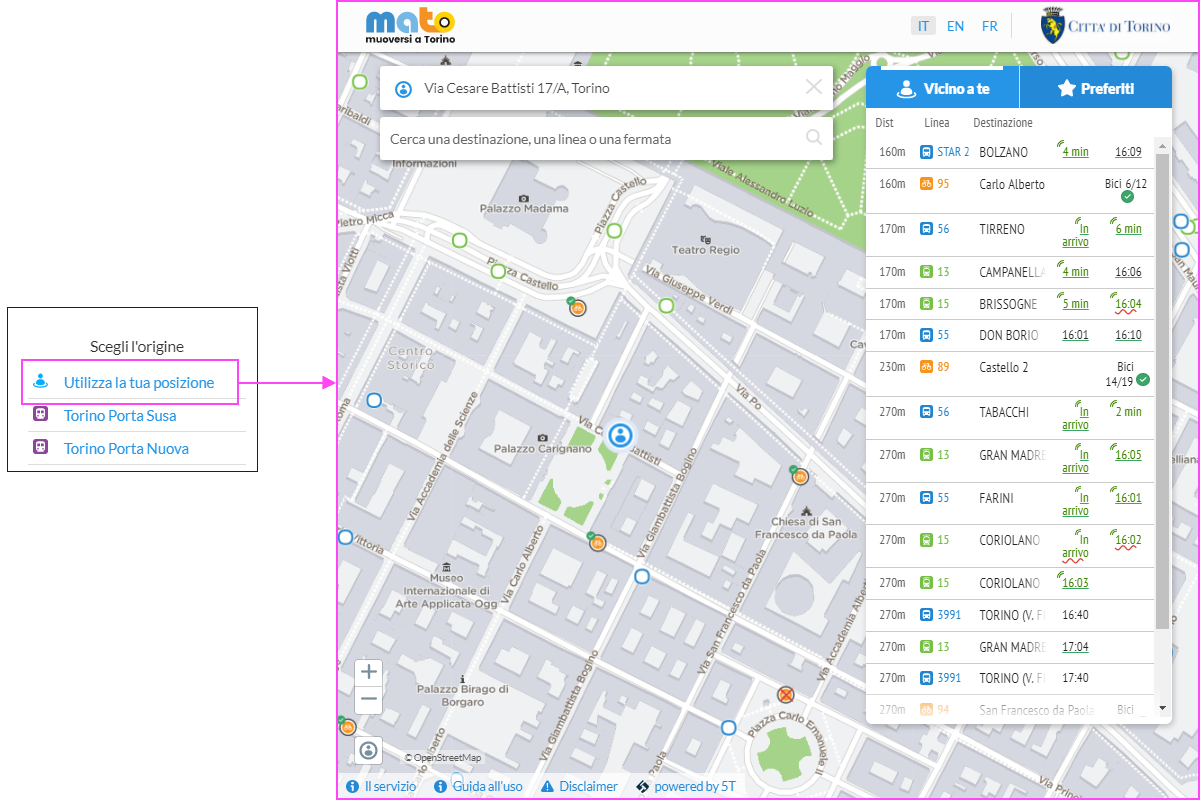
Sono posizionate sulla mappa:
- Fermate dei mezzi pubblici (autobus): icona blu
- Fermata dei mezzi pubblici (tram): icona verde
- Stazione treno: icona viola
- Stazioni Metro: icona rosso
- Stazioni ToBike(bike sharing): icona arancione
Cliccando dalla mappa sulla fermata che interessa, si possono consultare i passaggi dei mezzi delle linee:
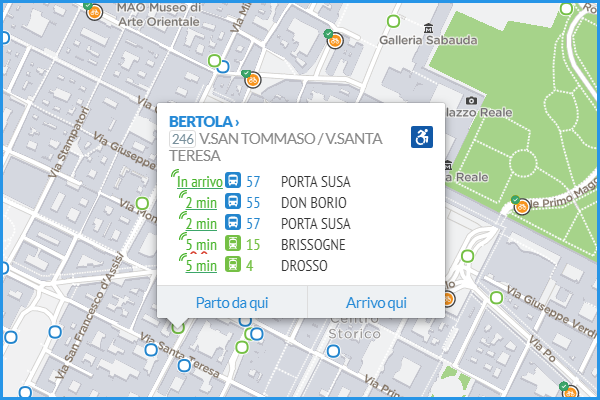
Per ogni linea è pubblicata la previsione di arrivo del mezzo alla fermata scelta:
- Previsioni a caratteri verdi: previsione in tempo reale
- Previsione sottolineata linea retta: veicolo accessibile a utenti con difficoltà motorie
- Previsione sottolineata linea ondulata rossa: veicolo non accessibile a utenti con difficoltà motorie
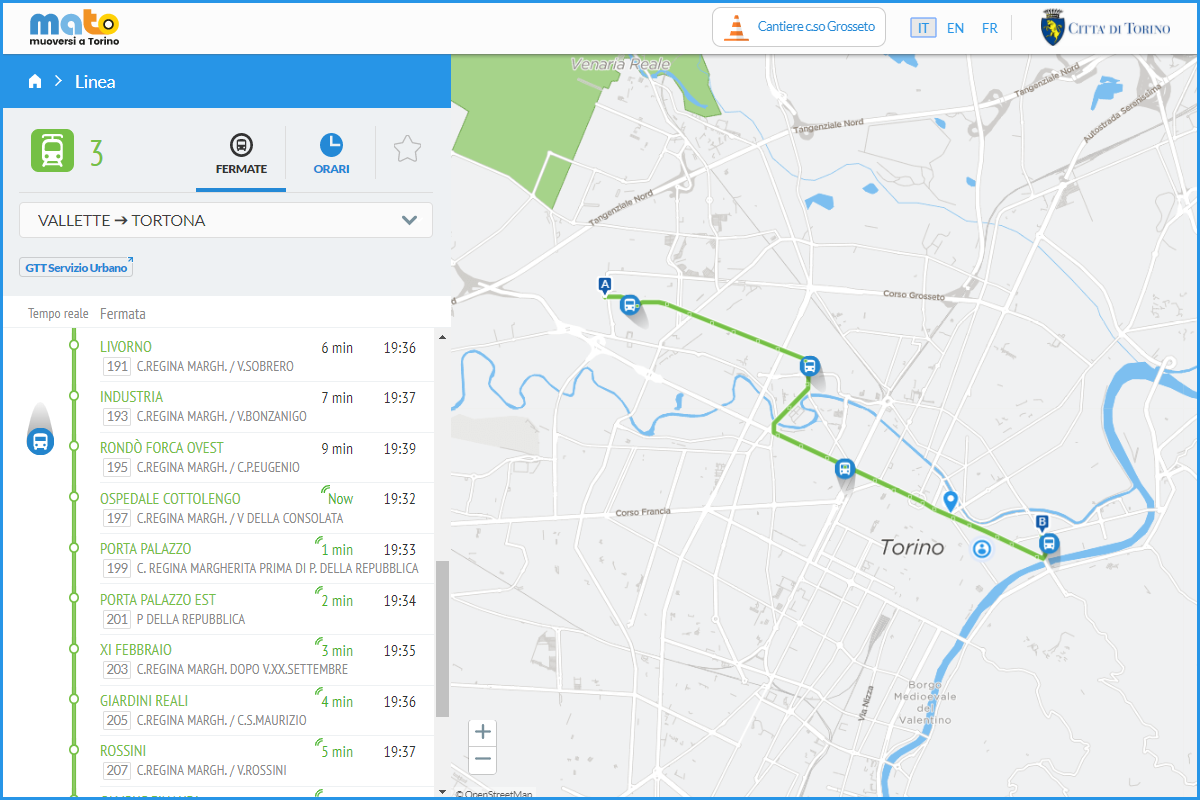
Dalla pagina del tuo calcolo percorso puoi scegliere il tuo mezzo per visualizzare esattamente dove si trova.
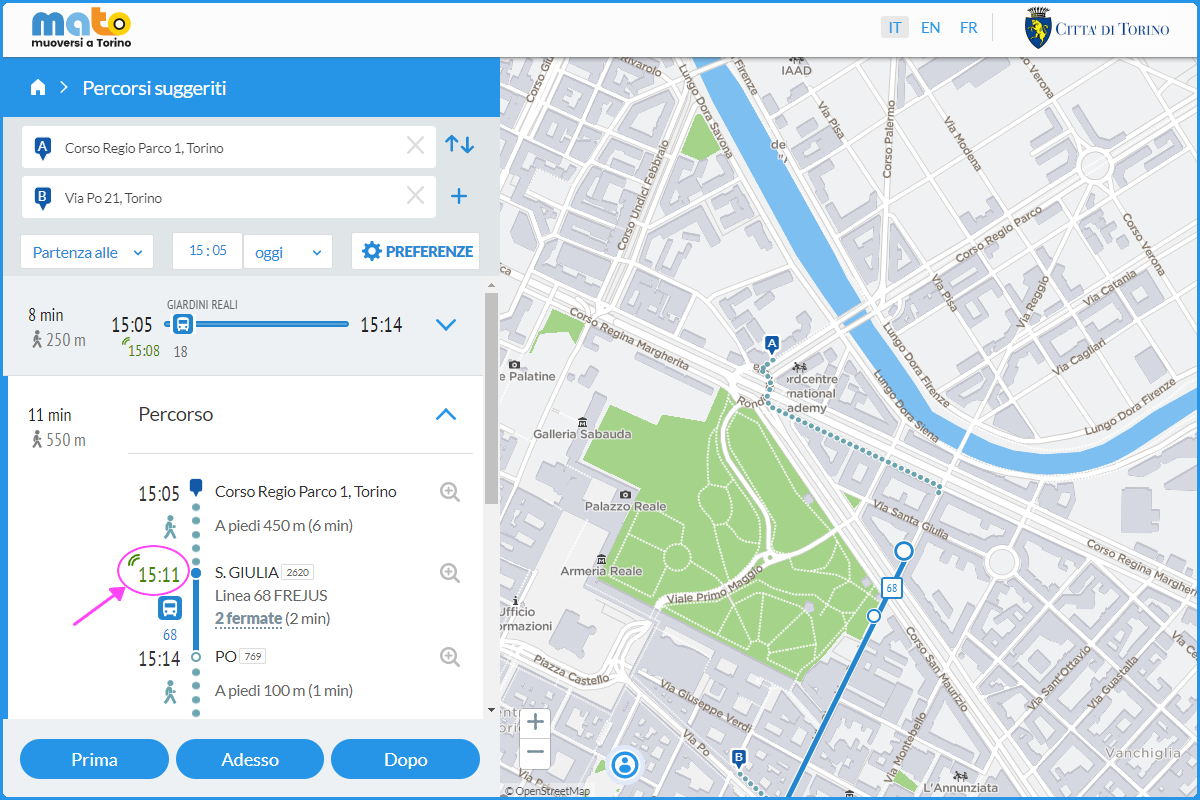
Una volta selezionata, potrai visualizzare lo spostamento dei mezzi sia all’interno del box in cui sono indicati l’elenco dettagliato delle fermate, gli orari e le previsioni di arrivo, sia sulla mappa a destra.
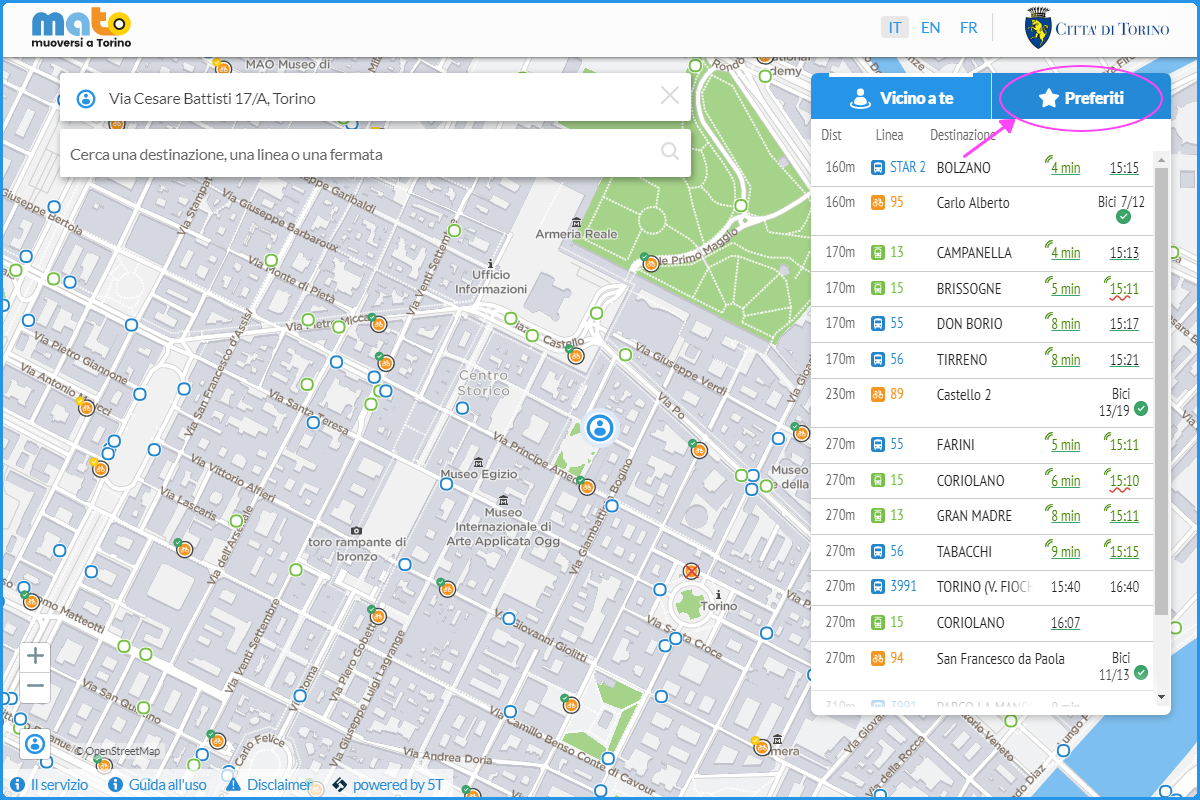
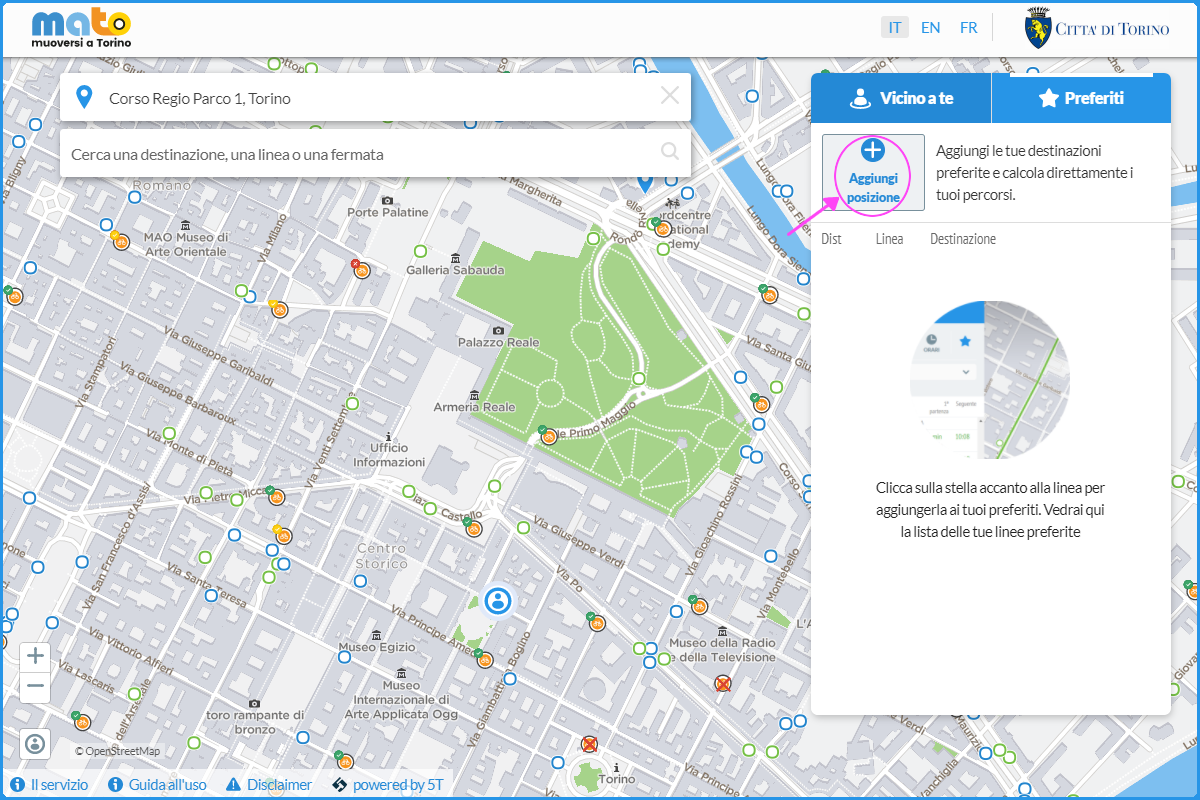
Dalla home è possibile accedere all’area “Preferiti” selezionando il pulsante in alto a destra.
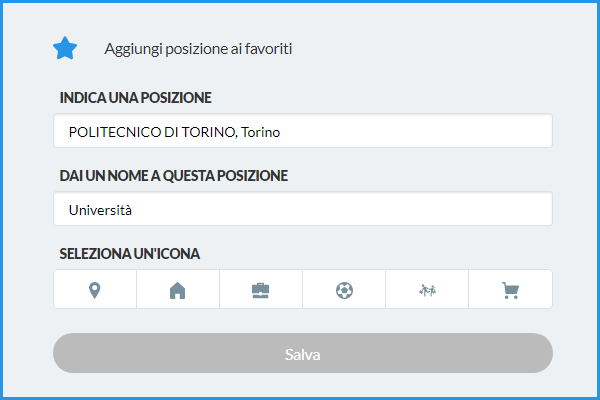
Si apre una finestra con la quale è possibile aggiungere una località.
È necessario compilare tutti i campi e salvare.
Direttamente sulla pagina dei Preferiti, permettendo al browser di accedere alla tua posizione, puoi verificare come raggiungere in tempo reale la tua destinazione. Puoi inoltre visualizzare gli altri percorsi disponibili selezionando il pulsante della tua posizione preferita.
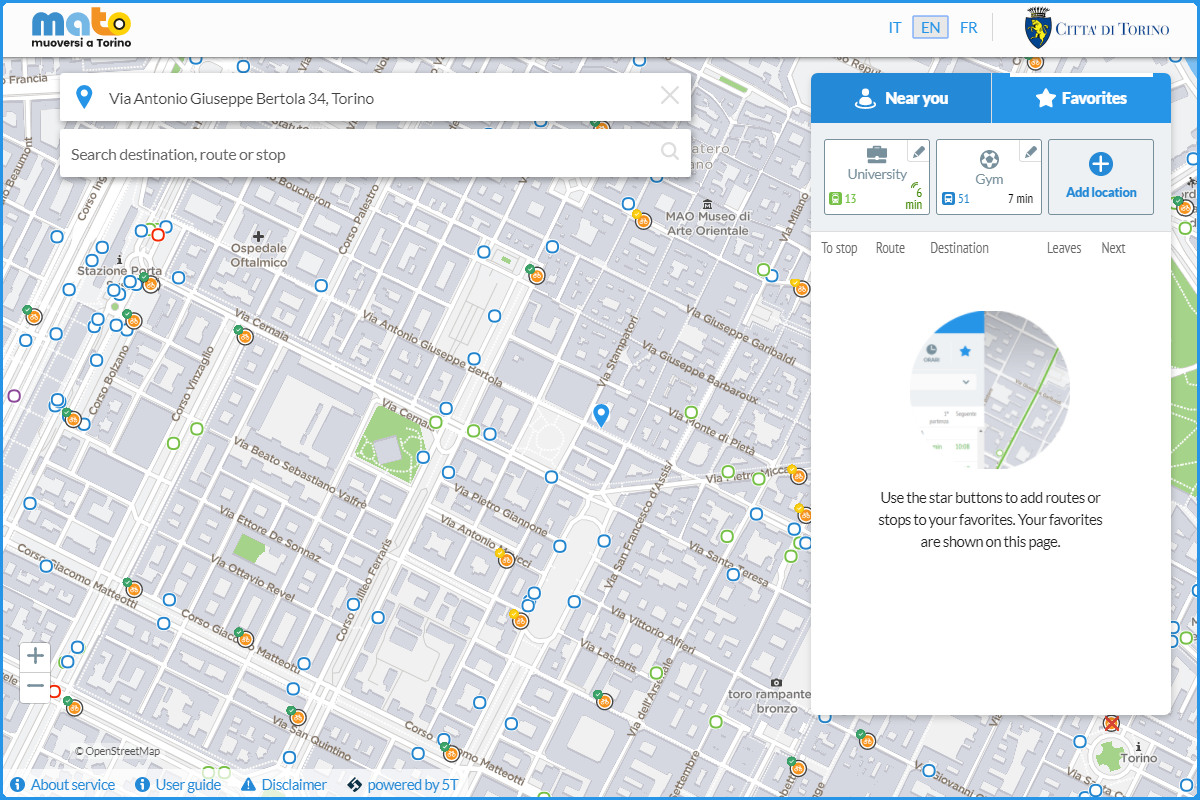
I tuoi preferiti saranno salvati e potrai scegliere la tua posizione o la tua destinazione direttamente selezionandoli dalla finestra principale.
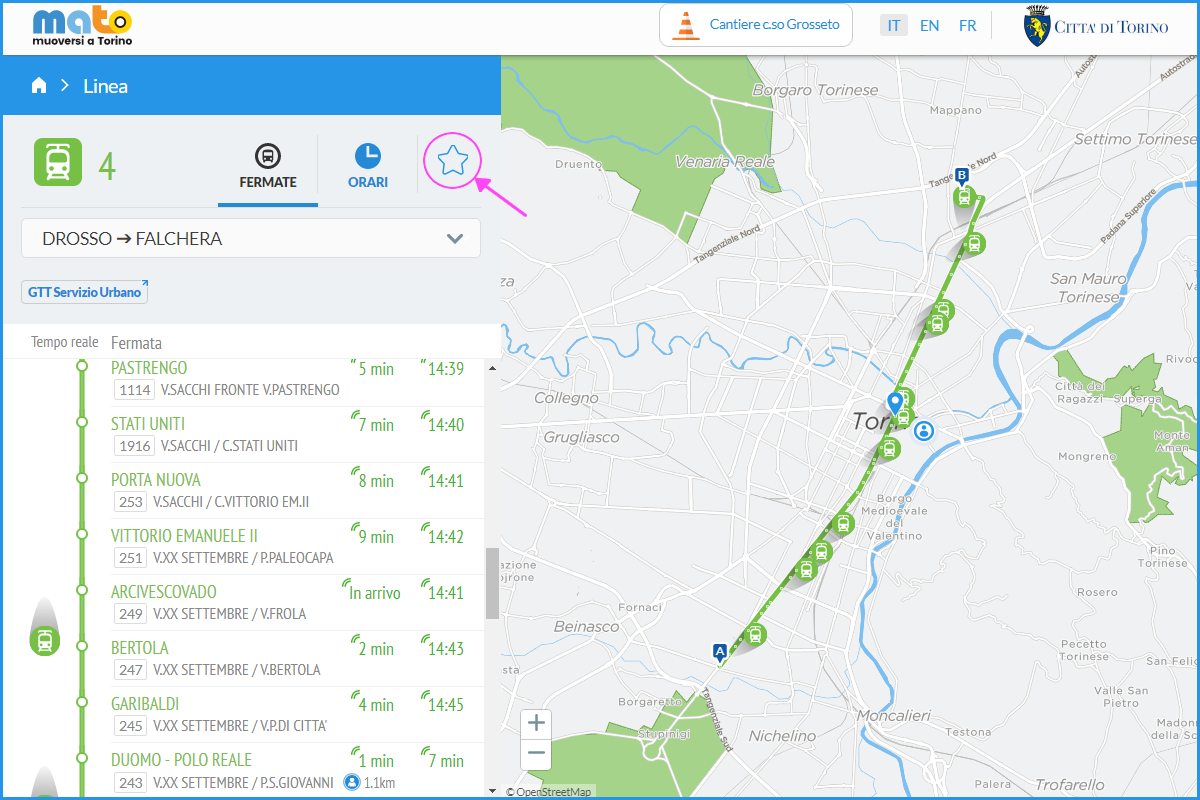
È inoltre possibile inserire tra i propri Preferiti delle linee di trasporto, selezionando la linea dalla schermata principale e cliccando sulla stella nel box con i dettagli su orari e percorsi.